
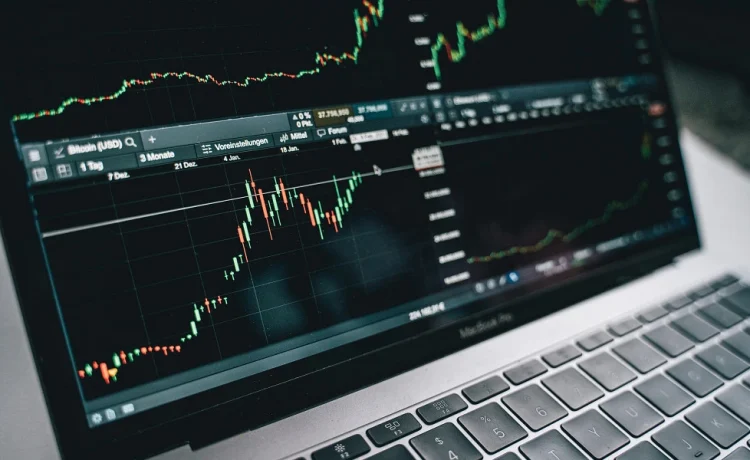
Trading Apps have changed how investors and traders access markets by bringing order placement, portfolio tracking, charts, watchlists and account information into a mobile interface. The convenience is significant, but not every app offers the same execution quality, pricing structure or level of usability.
The right platform depends on what the user actually needs. Someone investing occasionally may prioritise simplicity and portfolio visibility, while an active trader may care more about order speed, charting tools, price alerts and intraday functionality.
A useful comparison therefore looks beyond design and focuses on how well the app supports real market activity.
Start With The Type Of Market Activity You Plan To Do
Trading requirements can vary widely.
A user may primarily focus on:
- Long-term equity investing
- Swing trading
- Intraday trading
- Derivatives
- IPO applications
- Mutual fund access
- Portfolio monitoring
The most useful Trading Apps are the ones that match the intended activity without adding unnecessary complexity.
Beginners May Need Simplicity
A new investor may benefit from:
- Clear navigation
- Simple order screens
- Portfolio summaries
- Easy access to holdings
- Basic research information
Advanced users may instead prefer more detailed trading tools.
Order Placement Should Be Clear And Reliable
The order screen is one of the most important areas of any trading platform.
Users should be able to clearly identify:
- Security name
- Quantity
- Order type
- Price
- Product type
- Estimated transaction value
Avoid Confusing Order Screens
Poorly designed order screens can increase the risk of mistakes such as:
- Selecting the wrong quantity
- Using the wrong order type
- Entering an incorrect price
- Selecting an unintended product category
A clean confirmation screen can help reduce avoidable errors.
Market And Limit Orders Need Separate Controls
A market order aims to execute at the available price, while a limit order allows users to specify the price at which they are willing to transact.
Both order types serve different purposes.
Fast Markets Can Affect Execution
During high volatility, market prices can move quickly.
Users should understand how the app displays:
- Bid
- Ask
- Last traded price
- Order status
- Executed price
Execution details should remain easy to review after the order is placed.
Charges Should Be Visible Before Trading Frequently
Transaction costs can become meaningful for active users.
Possible charges may include:
- Brokerage
- Exchange charges
- Taxes
- Depository-related charges
- Platform fees
- Other applicable costs
Low Brokerage Does Not Mean Zero Total Cost
Even when brokerage is low or absent for certain transactions, other statutory or operational charges may still apply.
Users should compare the complete cost structure rather than relying only on one pricing claim.
Watchlists Can Improve Market Organisation
A watchlist allows users to monitor selected securities without searching for them repeatedly.
Useful watchlist features may include:
- Multiple lists
- Live price updates
- Percentage change
- Volume
- Day high and low
- Quick order access
Keep Watchlists Focused
Adding hundreds of securities can make the list harder to use.
Users may prefer separate lists for:
- Long-term ideas
- Intraday setups
- Sector tracking
- Earnings-related stocks
This can improve organisation.
Charting Tools Matter More For Active Traders
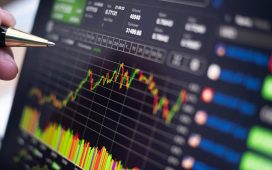
Traders often rely on charts to review price behaviour.
Useful chart features may include:
- Multiple timeframes
- Candlestick charts
- Volume
- Indicators
- Drawing tools
- Historical data
More Indicators Do Not Always Improve Decisions
A chart overloaded with indicators can become difficult to interpret.
Users should focus on tools that support a defined trading method rather than adding indicators without a clear purpose.
Account Setup Should Be Easy To Understand
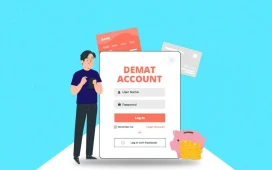
Users may need to Open Demat Account before accessing certain investing and trading functions.
The app should clearly explain:
- Account setup steps
- Required documents
- Verification process
- Activation status
- Applicable charges
A smooth onboarding process is useful, but users should still review account terms and costs before completing registration.
Portfolio Screens Should Show More Than Current Value
A good portfolio view should help users understand their holdings.
Useful details can include:
- Quantity
- Average purchase price
- Current value
- Unrealised profit or loss
- Day change
- Allocation
Separate Holdings From Trading Positions
Long-term holdings and open trading positions should ideally be easy to distinguish.
This reduces confusion between investments intended to be held and positions that may need active monitoring.
Price Alerts Can Reduce Constant Screen Monitoring
Alerts can notify users when a stock reaches a specified level.
They may be useful for:
- Entry levels
- Stop-loss monitoring
- Breakouts
- Target zones
- Significant price changes
Alerts Should Support A Plan
Price alerts are most useful when the user already knows what action they may consider.
Random alerts without a defined strategy can simply increase screen time.
App Stability Matters During Volatile Sessions
During major market events, trading activity can increase sharply.
A platform should ideally remain responsive during periods of high volume.
Reliability Is More Important Than Extra Features
Advanced charts and tools are useful only if users can:
- Log in
- View positions
- Place orders
- Modify orders
- Exit positions
Stability should therefore be considered alongside features.
Security Should Be Part Of The Comparison
Trading accounts can contain both financial information and market holdings.
Useful security controls may include:
- Secure login
- Device authentication
- OTP verification
- Biometric access
- Session controls
- Login alerts
Protect Login Information
Users should never share:
- OTPs
- Passwords
- PINs
- Verification codes
Unknown messages asking users to install remote-access tools or share screens should be treated cautiously.
Research Tools Can Support Better Preparation
Some Trading Apps may provide access to market information such as:
- Company financials
- Corporate announcements
- News
- Technical data
- Analyst information
- Historical performance
Research Should Not Be Treated As A Guaranteed Signal
No research tool can guarantee a profitable trade.
Users should verify important information and understand the assumptions behind any analysis before acting.
Order History Should Be Easy To Review
Trading records can help users confirm what happened after an order was placed.
Useful information may include:
- Order time
- Quantity
- Price
- Status
- Order type
- Executed value
Records Help With Performance Review
Traders can use order history to identify:
- Frequent mistakes
- Slippage
- Excessive activity
- Poor timing
- Repeated rule violations
This can support a more structured trading process.
Customer Support Becomes Important During Errors
Support may be needed when users face:
- Login problems
- Order issues
- Account questions
- Fund transfer problems
- Technical errors
A reliable app should make support channels easy to locate.
Review Escalation Options
Users should know whether support is available through:
- Chat
- Phone
- Ticket systems
Keeping reference numbers can help with follow-up.
Avoid Selecting An App Only By Popularity
A widely used platform may still not suit every type of trader.
The better comparison considers:
- Trading style
- Product availability
- Charges
- Execution
- Security
- Support
- Interface
The app should fit the user’s actual market activity.
Conclusion
Trading Apps can make market participation more convenient by combining order placement, charts, watchlists, portfolio information and account tools in one interface.
Users should compare execution quality, charges, stability, security and support rather than focusing only on appearance or promotional pricing. An Intraday Trading App may offer features designed for faster market activity, but intraday trading also involves higher decision frequency, market risk and the need for disciplined risk management.
The strongest platform is one that supports the user’s trading process clearly and reliably without encouraging unnecessary activity.
FAQs
1. Why Does App Stability Matter More For Active Traders?
Active traders may need to modify or exit positions quickly, so delays or outages can have a direct impact during volatile markets.
2. Can Two Trading Apps Show Slightly Different Prices?
Minor differences can occur because of data refresh timing, market feeds or display delays, especially during fast-moving sessions.
3. Are Advanced Charts Necessary For Every Investor?
No. Long-term investors may need only basic price and portfolio information, while active traders may benefit more from advanced charting tools.
4. Why Should Holdings And Open Positions Be Shown Separately?
Separating them makes it easier to distinguish long-term investments from short-term trades that may require active monitoring.
5. Can Price Alerts Replace Stop-Loss Orders?
No. A price alert only notifies the user, while a stop-loss order is designed to trigger an order according to the specified conditions and platform rules.